
Please note - this guide is for customers who do not log in to Tomagrade through their organization's information system. Meaning, this guide is only intended for users logging in directly to Tomagrade.
If you forgot your Tomagrade password, you can reset it as follows:
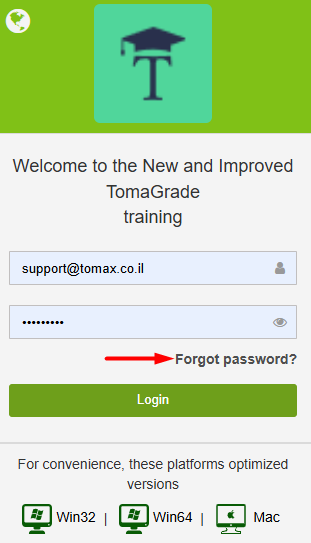
1. On the Tomagrade login screen, click on "Forgot Password":
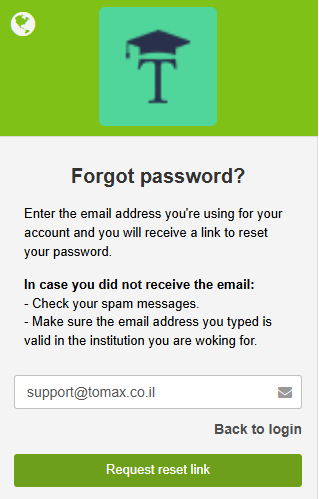
2. Enter the email address associated with your Tomagrade account (if you didn't enter it in the previous step), and then click on "Request reset link":
3. A password reset link will be sent to the email address you provided in the previous step. Click OK:
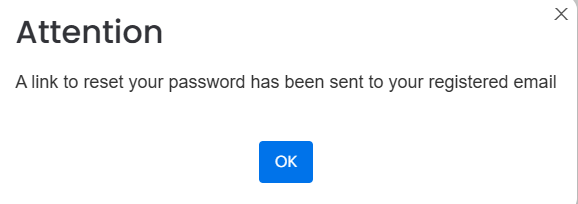
Please note - if you entered an email address that does not exist in Tomagrade, the link will not be sent!
Additionally, if the link was not received, please check your spam folder.