
If you wish to change the grade automatically given to the closed question, in the grade array within the student's exam, hover your mouse over the given grade and manually type the new grade. You can cancel the change by clicking the undo icon, and the grade will revert to the original grade.
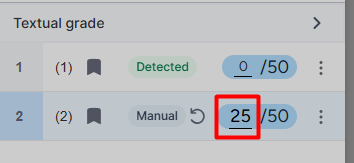
* Please note that changing individual grades for unanswered questions can only be done if there are also open-ended questions in the exam.