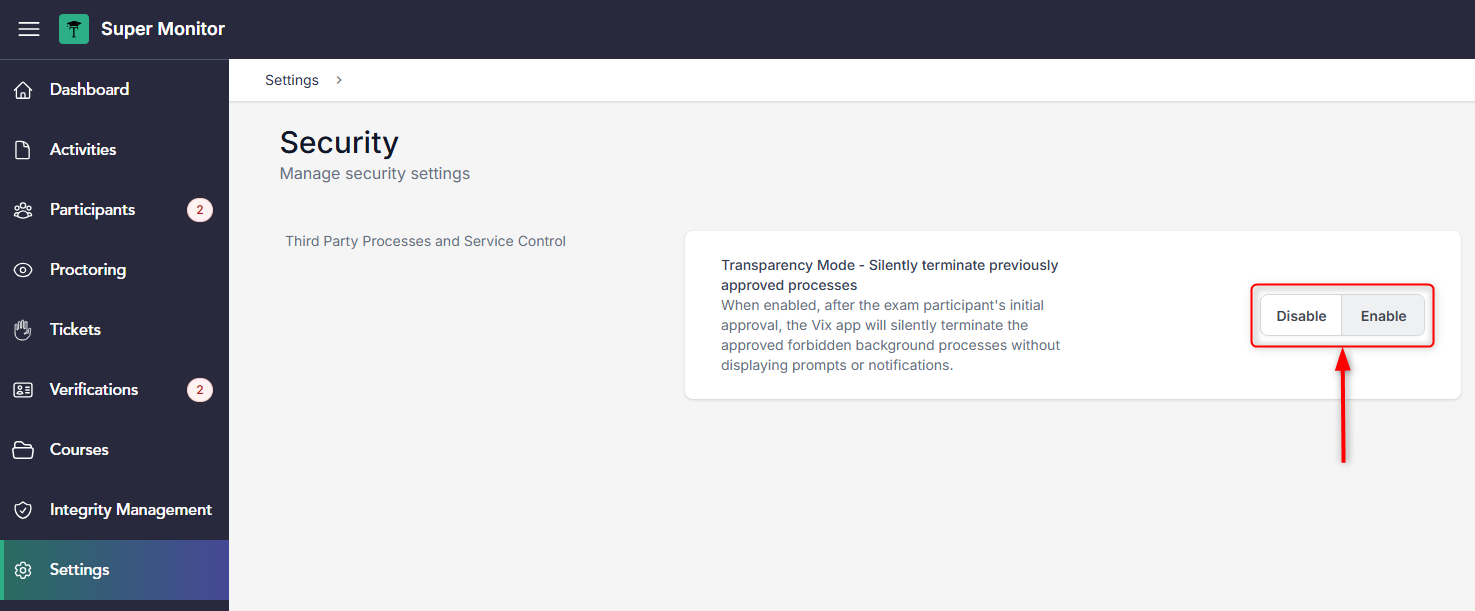
Institutions can now choose to allow users "silent" processes termination approval. Every process which its termination was approved, will be terminated without prompting the user again.
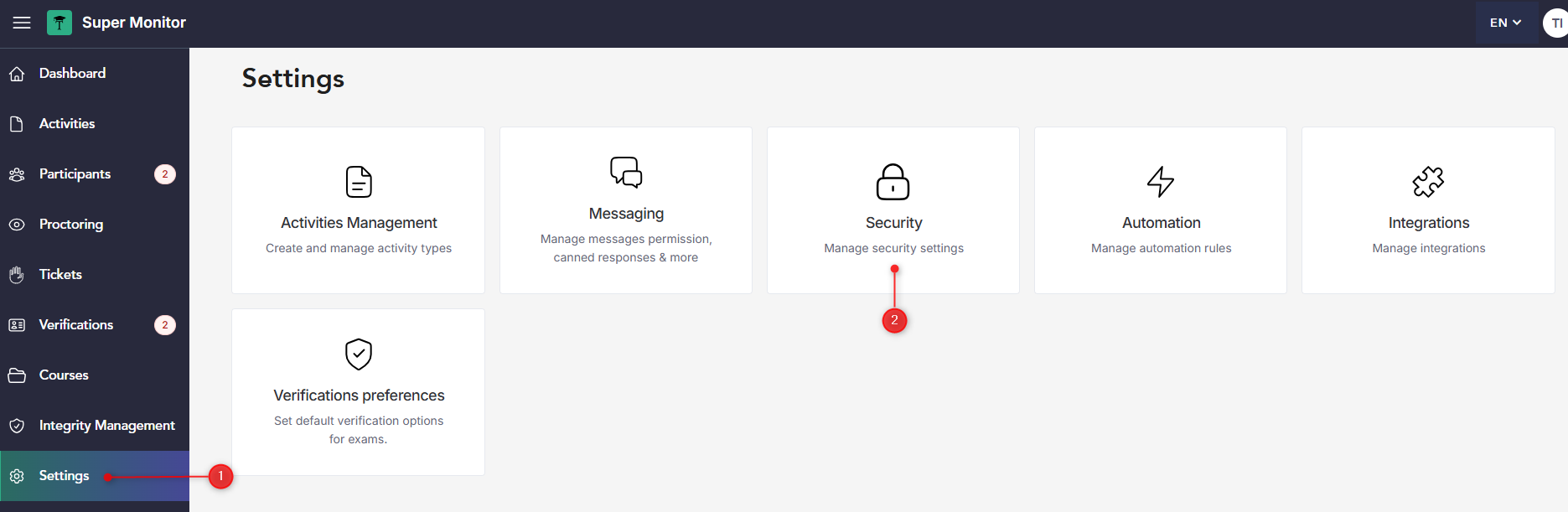
You can enable this by entering the Super Monitor and clicking on "Settings" and then "Security":
Then, you can enable or disable this option by selecting the desired setting: