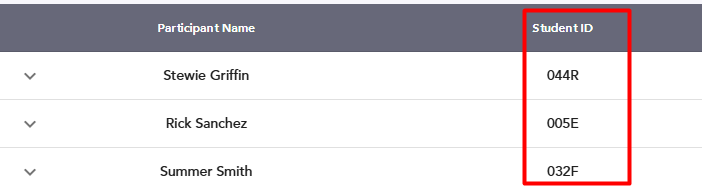
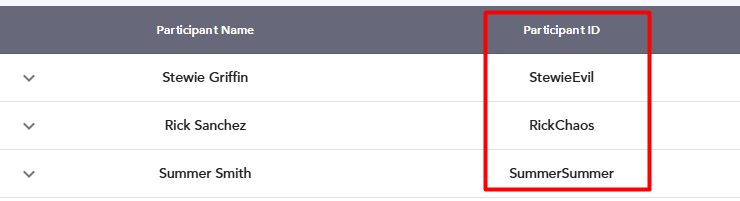
Starting today, you can define which field will appear as the primary identifier in the Verifications tab in the exam monitor.
This setting determines which ID number is shown to invigilators in the Verification tab.
Choose 'Participant ID' if verification is done against physical government IDs or student cards
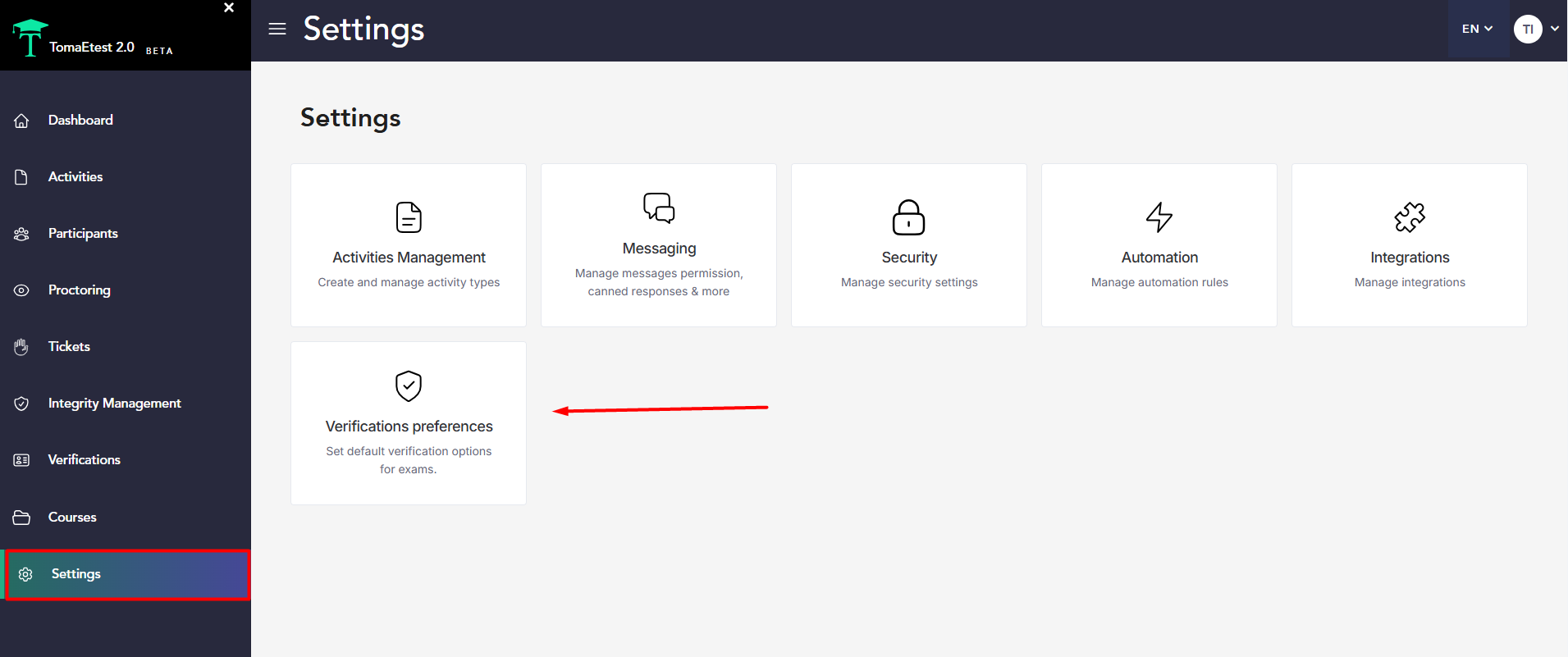
To configure this, go to Super Monitor->Settings->Verification preferences:
Then, in the Verification preferences, choose between Student ID and Participant ID:
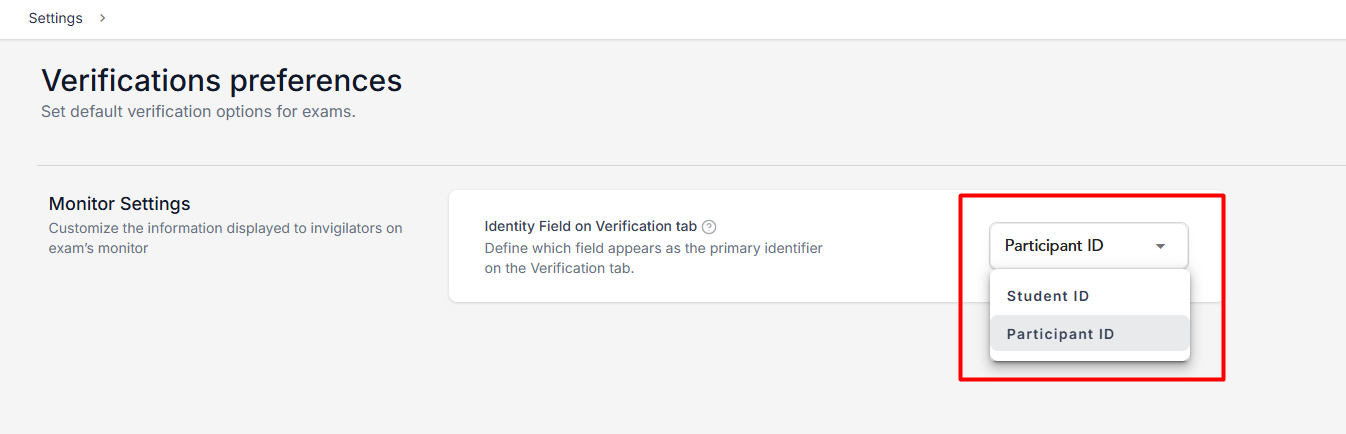
In the exam monitor, it will look like this: