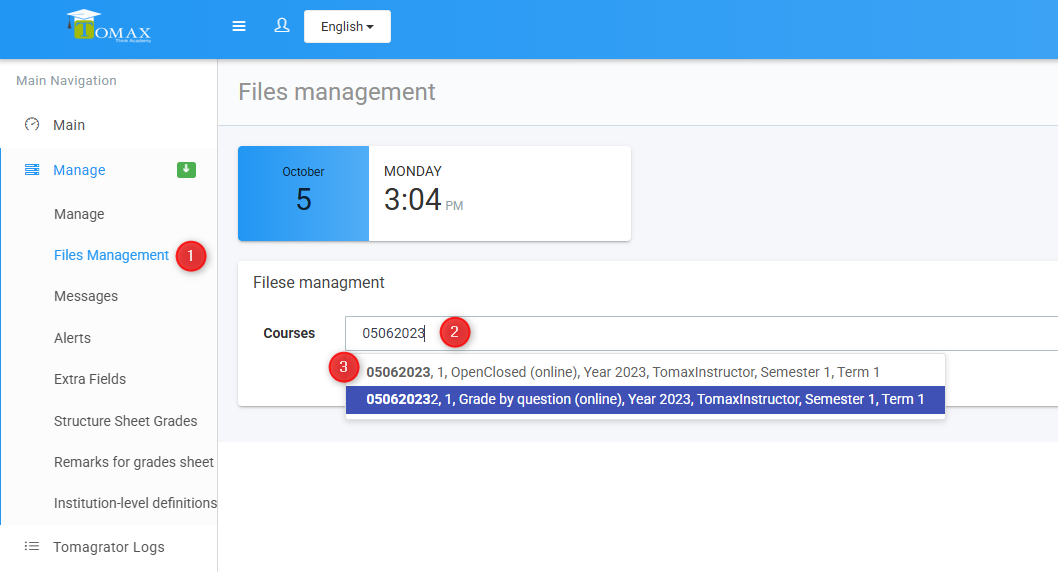
Go to the "Files Management" tab
Wait a few seconds.... and then - enter the exam ID
From the results that appear, click on the relevant one
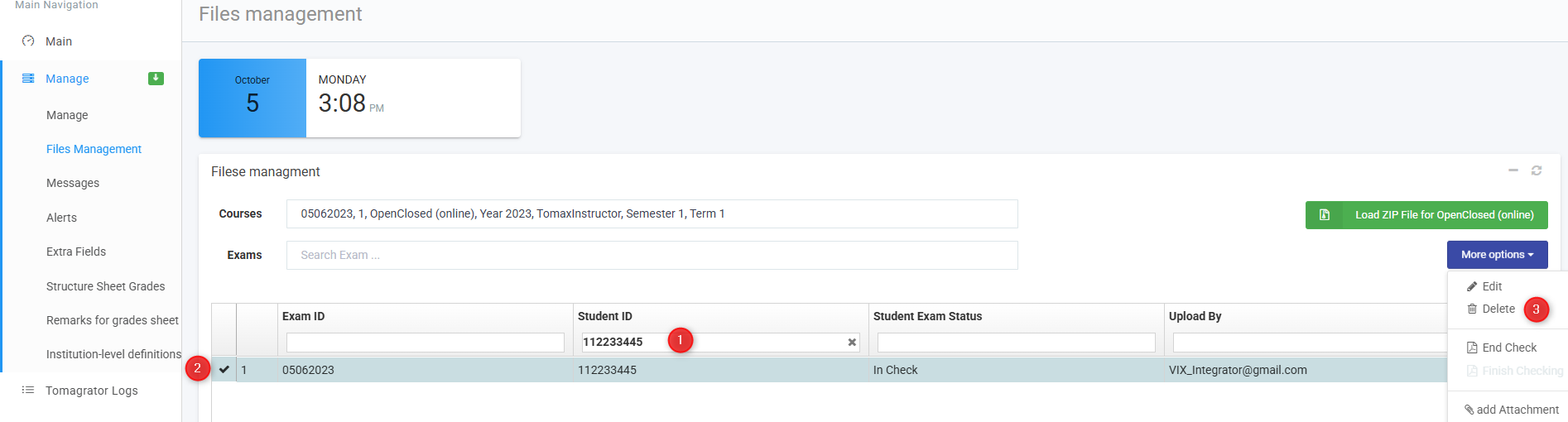
Locate the examinee's exam
Select the record
"More options" menu --> Delete
Confirm in the pop-up window.

Tomax Support
Go to the "Files Management" tab
Wait a few seconds.... and then - enter the exam ID
From the results that appear, click on the relevant one
Locate the examinee's exam
Select the record
"More options" menu --> Delete
Confirm in the pop-up window.