
If a lecturer has already approved the exam grades and published the exam, and it later turns out that they need to correct students' grades, the following actions must be performed in the TomaGrade management dashboard to allow them to update the grades:
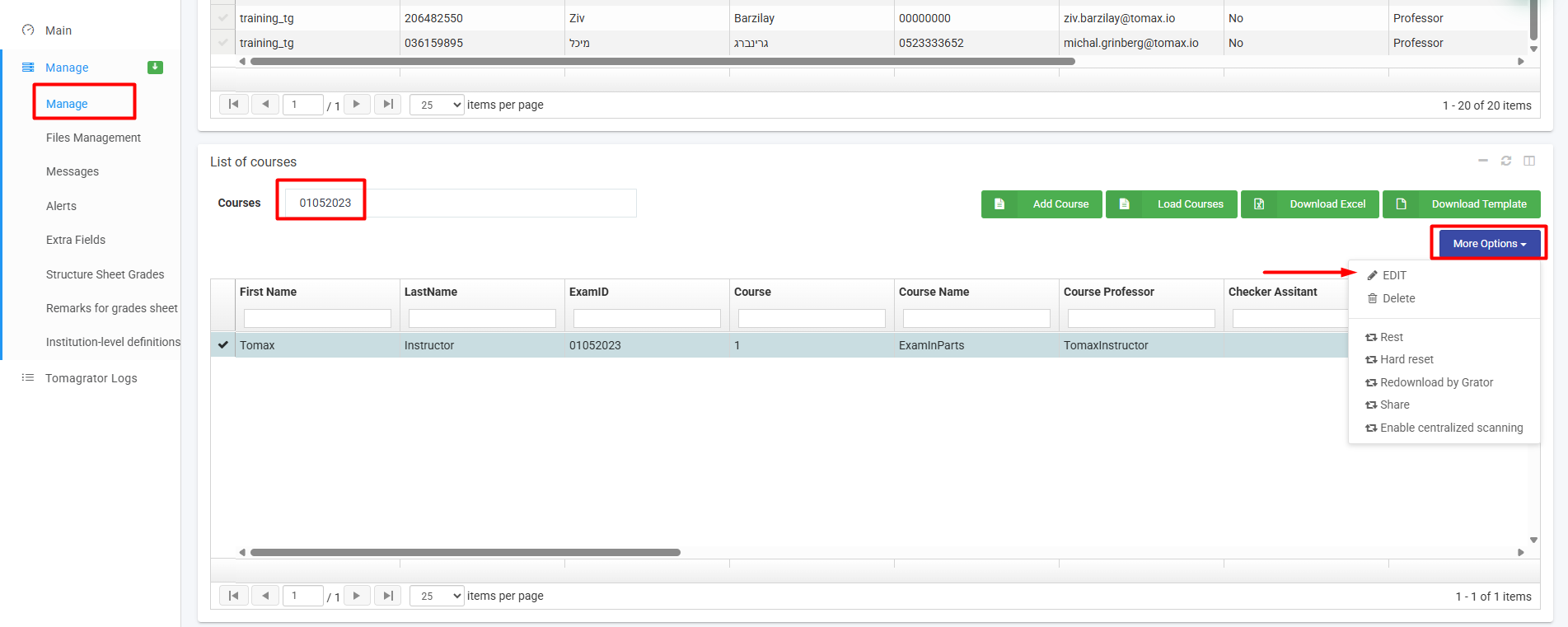
- Look for for the exam in the "Manage" tab, click on the "More options" menu --> Edit:
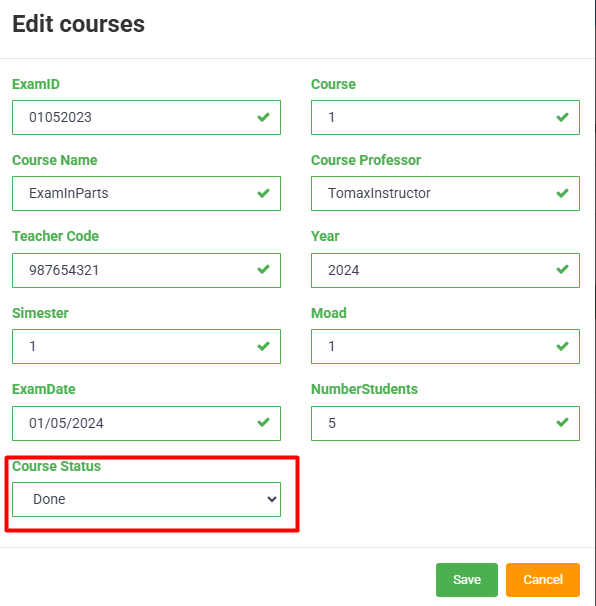
- In the window that opens, change the course status from "Published" to "Done" and click "Save":
- Now, since the grades have already been approved for the exams, the lecturer must open the exams for editing in order to check the exams again.